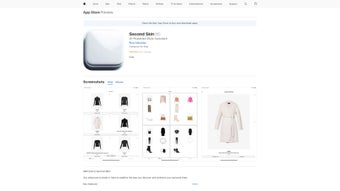

Download Second Skin – AI Fashion Stylist, Personalized Outfit Recommendations
Overview
Second Skin is a cutting‑edge, AI‑driven fashion‑stylist application that transforms the everyday task of choosing an outfit into a seamless, enjoyable experience. By combining advanced machine‑learning algorithms with a deep understanding of style theory, the app analyses a user’s personal taste, body shape, local climate, and upcoming calendar events to generate hyper‑personalized outfit suggestions. The AI continuously refines its recommendations based on every acceptance, rejection, or tweak you make, ensuring that the advice becomes more accurate the longer you use it. In essence, Second Skin acts as a digital wardrobe assistant that lives in your pocket, offering style guidance that feels genuinely custom‑crafted.
Beyond simply curating looks, Second Skin streamlines the entire shopping journey. The built‑in marketplace connects you to a curated catalog of partner brands, offers real‑time price comparisons, and enables one‑click secure checkout. All transactions are protected by end‑to‑end encryption and PCI‑DSS compliance, giving you peace of mind when you shop. The app also includes a digital wardrobe where every purchased or saved item is stored, tagged, and searchable by color, season, occasion, or even fabric type. Planning a wedding, a business conference, or a relaxed weekend brunch becomes as simple as dragging and dropping items onto a virtual outfit board.
Continuous updates keep the app aligned with the latest runway trends, street‑style movements, and seasonal colour palettes. The user‑friendly interface requires less than 50 MB of storage, making it an ideal companion for iOS, Android, Windows, and macOS devices. Whether you’re a fashion novice seeking guidance or a seasoned style enthusiast looking for efficiency, Second Skin promises a secure, intuitive, and highly personalized fashion experience.
- AI‑Powered Personal Stylist: Real‑time analysis of user preferences, body metrics, climate, and calendar events to deliver hyper‑personalized outfit suggestions.
- Integrated Shopping Mall: Direct access to a wide range of partner brands, price comparison tools, and one‑click secure checkout.
- Digital Wardrobe: Unlimited virtual storage for purchased items, saved looks, and inspirational pieces; searchable by colour, season, and occasion.
- Trend Radar: Daily updates on runway shows, street style, and seasonal palettes to keep your looks fresh and relevant.
- Event Planner: Calendar sync that suggests outfits based on upcoming events, weather forecasts, and dress codes.
- Outfit Scheduler: Drag‑and‑drop interface to plan daily looks weeks in advance, reducing decision fatigue.
- Low‑Footprint Design: Optimized for minimal storage (under 50 MB) and low battery consumption.
- Cross‑Platform Sync: Seamless data synchronization across iOS, Android, Windows, and macOS devices.
- Secure Payment & Data Privacy: End‑to‑end encryption, PCI‑DSS compliance, and GDPR‑ready data handling.
- Community & Inspiration: Follow style influencers, share outfits, and receive feedback within the app’s social feed.
Installation & Usage Guide
Getting started with Second Skin is straightforward and designed for users of all technical skill levels. First, visit the official website or your device’s app store (Apple App Store, Google Play Store, Microsoft Store) and search for “Second Skin – AI Fashion Stylist.” Click the Download button; the installation package is under 50 MB, so the process completes in under a minute on most broadband connections. After the download finishes, the app will prompt you to grant permissions for camera access (to add wardrobe items), calendar sync (for event‑based styling), and secure payment handling. These permissions are strictly limited to the functionalities described and can be revoked at any time via your device’s settings.
Launch the app and create a profile using an email address or a social‑media login such as Google or Facebook. The onboarding wizard walks you through a series of style quizzes, body measurements, climate preferences, and wardrobe inventory upload. You can manually add items, import from popular closet‑management apps via CSV, or simply snap photos of existing pieces. The AI immediately begins building a style model based on your answers, and within a few minutes you’ll see a personalized “Today’s Outfit” card on the home screen.
Interaction with the outfit card is intuitive: swipe left to reject a suggestion, right to accept, or tap to customize. Accepted outfits are automatically saved to your digital wardrobe and can be purchased directly if any items are missing. To explore shopping options, tap the “Shop” tab; filters let you narrow results by brand, price range, sustainability rating, or colour. When you sync your calendar (Google Calendar, Outlook, iOS Calendar), Second Skin proposes outfits that match the dress code and forecasted weather for each event. Use the “Outfit Scheduler” to drag recommended looks into a weekly planner, ensuring you always know what to wear the night before.
The app checks for updates automatically and notifies you when a new trend pack is available. Regular cloud backups protect your wardrobe data, and you can export your outfit history as a CSV file for personal archiving. If you ever need assistance, a built‑in help centre provides step‑by‑step tutorials, video walkthroughs, and live chat support during business hours.
Compatibility, System Requirements & Pros / Cons
Second Skin is built with cross‑platform compatibility in mind, supporting the most popular operating systems while maintaining a consistent experience across devices.
- iOS 13 or later: Compatible with iPhone 6S and newer, as well as iPad Air 2, iPad Pro, and iPad Mini 4. Requires at least 150 MB of free storage for cache and temporary files.
- Android 8.0 (Oreo) or later: Works on smartphones and tablets with a minimum of 2 GB RAM. Supports both ARM and x86 architectures and integrates with Google Play Services for seamless updates.
- Windows 10 or later (Desktop version): Available as a Microsoft Store app, requiring .NET 5.0 runtime and a minimum screen resolution of 1366 × 768. The desktop client offers drag‑and‑drop outfit planning for power users.
- macOS 11 (Big Sur) or later: Distributed via the Mac App Store; needs at least 4 GB RAM and a Metal‑compatible GPU for smooth UI animations.
All versions share a common backend, ensuring that your digital wardrobe, saved outfits, and purchase history stay synchronized across devices. The app respects platform‑specific privacy guidelines, requesting only the permissions necessary for camera access (to add items), calendar sync, and secure payment handling.
Pros
- Highly personalized AI recommendations that improve over time.
- All‑in‑one shopping experience with secure checkout and price comparison.
- Digital wardrobe eliminates the need for physical storage and makes outfit planning effortless.
- Constant trend updates keep users fashion‑forward without manual research.
- Low storage footprint and efficient battery usage.
- Cross‑platform sync ensures continuity across phones, tablets, and desktops.
- Robust privacy and security measures meet industry standards.
- Community features foster inspiration and peer feedback.
Cons
- Initial style questionnaire can feel lengthy for users seeking quick access.
- Some premium brand integrations require a subscription for full access.
- AI suggestions may occasionally miss niche style preferences that are highly avant‑garde.
- Internet connection required for real‑time trend updates and shopping features.
- Limited offline functionality; wardrobe browsing works offline, but new recommendations do not.
Frequently Asked Questions
Is Second Skin free to use?
Second Skin offers a free tier that includes basic AI styling, digital wardrobe storage, and limited shopping access. A premium subscription unlocks advanced trend packs, exclusive brand partnerships, and an ad‑free experience, all for a modest monthly fee.
How does the AI learn my style?
The AI analyses answers from the onboarding questionnaire, your past outfit approvals/rejections, and metadata from items you upload (colour, fabric, occasion). It continuously refines its model with each interaction, using reinforcement learning to prioritize choices that match your feedback.
Can I sync Second Skin with my existing wardrobe?
Yes. You can manually add items, import from popular closet‑management apps via CSV, or take photos of your clothing. The app’s image‑recognition tags each piece with colour, category, and season, making it searchable in your digital wardrobe.
Is my payment information safe?
Second Skin complies with PCI‑DSS standards and uses end‑to‑end encryption for all transactions. Payment data is never stored on the device; instead, it is processed through trusted third‑party gateways such as Stripe or PayPal.
What happens if I uninstall the app?
All your wardrobe data, saved outfits, and purchase history are stored securely in the cloud. After reinstalling and logging back in, your entire profile is restored automatically.
Conclusion & Call to Action
Second Skin stands out as a powerful, AI‑driven fashion companion that merges personalized styling, seamless shopping, and an intelligent digital wardrobe into a single, low‑footprint application. Whether you are a busy professional who wants to eliminate daily outfit decisions, a trend‑hunter eager to stay ahead of the curve, or a casual shopper looking for a more efficient way to purchase clothes, Second Skin delivers a secure, enjoyable, and continuously improving experience.
Ready to transform the way you dress? Download Second Skin today for free, explore the premium features with a 7‑day trial, and let the AI stylist redefine your wardrobe. Stay stylish, stay confident, and let Second Skin be the invisible thread that ties your entire fashion ecosystem together.
Second Skin impresses with its intuitive AI recommendations, robust shopping integration, and a lightweight design that runs smoothly on all major platforms. While the initial questionnaire may feel lengthy, the payoff is a genuinely personal styling assistant that grows smarter over time. Premium users enjoy exclusive brand access and deeper trend insights, making the subscription worthwhile for fashion enthusiasts.
- Pros: Accurate AI, integrated checkout, cross‑platform sync.
- Cons: Limited offline functionality, occasional niche‑style gaps.



.png)



